Ticket detail
Conversation, internal notes, properties, attachments, watchers.
Ticket detail is the full work surface for one request.
Layout
- Main column — title, long-form fields, conversation (comments), activity.
- Sidebar — status, type, priority, company, assignees, labels, short fields, watchers, attachments metadata. Changing the type keeps the ticket's form and field values; the details list shows which template the ticket uses and — once the workspace has several boards — which board the ticket is on.
- Customer card — when the CRM is on and the ticket's company is linked to a CRM account, the sidebar shows who that customer is in sales: account, owner, open deals and a deal close to signing. See CRM.
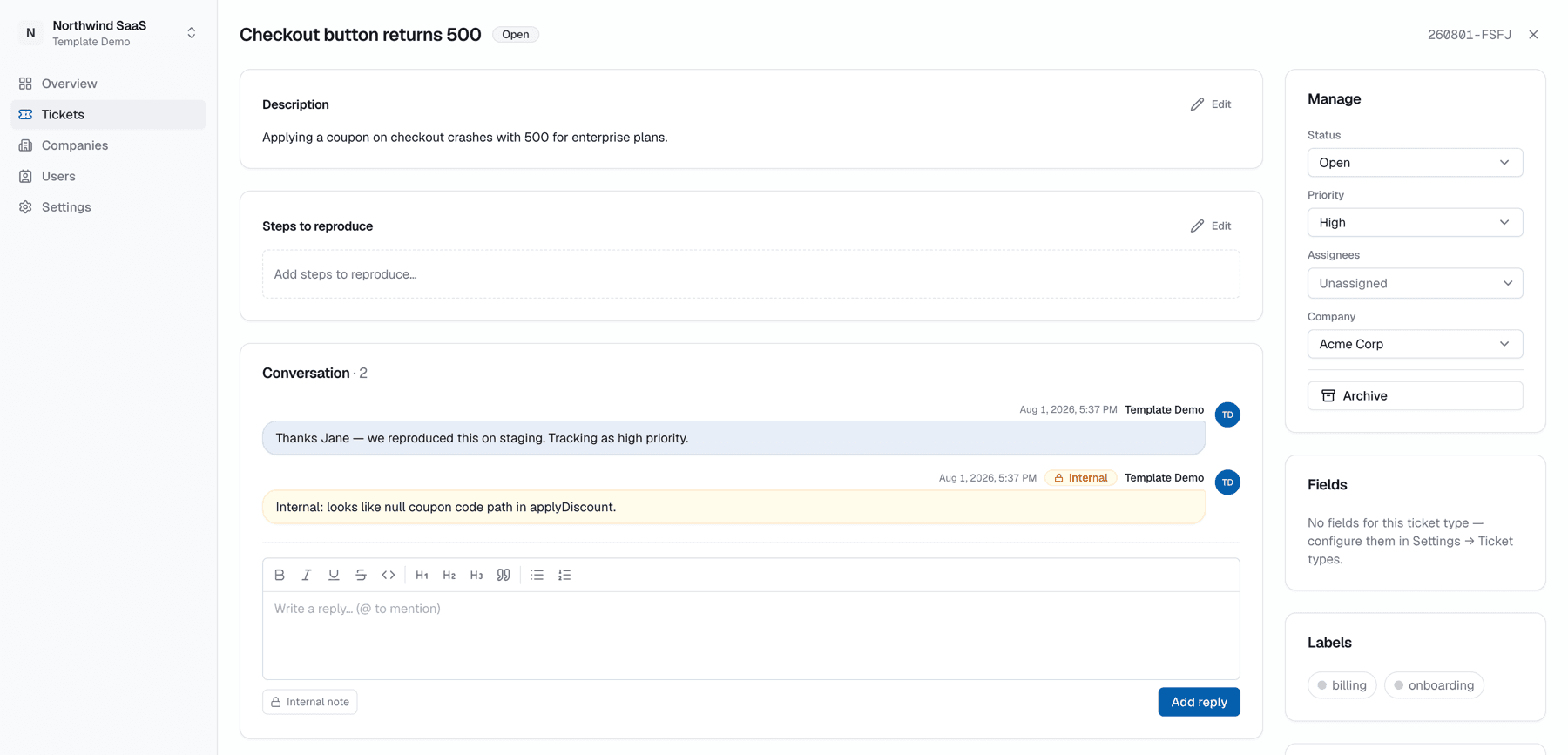
Public reply vs internal note
| Kind | Who sees it | Use for |
|---|---|---|
| Reply (not internal) | Team + eligible portal users | Customer-facing updates |
| Internal note | Staff only | Investigation, private coordination |
Never leak internal notes
Internal notes must not be copy-pasted into a public reply. Portal users and customer email never receive internal content.
Change properties
Update status, priority, assignees, company, labels, and visibility from the sidebar. Status changes can also happen by dragging on the board.
Attachments
Upload files on the ticket (or on a comment, depending on UI). Downloads use time-limited links.
Move to another board
Move to board… in the Manage card moves the ticket (with its subtasks) to another board. The dialog maps type, status, priority, labels and group, asks for required fields of the new board, and asks you to confirm when customers gain or lose access. Full guide: Boards → Move a ticket.
Mentions & watchers
Full guide: Mentions & watchers.
- Mentions notify staff participants (and follow visibility rules for who can be mentioned).
- Watchers receive updates when they subscribe to a ticket.
Live updates
Comments and field changes from teammates or MCP agents stream in without a full reload — Live updates.
Side peek vs full page
From the board, cards often open in a side peek. Expand to a full page when you need more room or a shareable URL (/{workspace}/tickets/{id}).