Deals & pipelines
Move deals through your pipeline, close them as won or lost.
A deal is something you're selling — a new contract, a renewal, more seats. Deals move through the stages of a pipeline until they are won or lost.
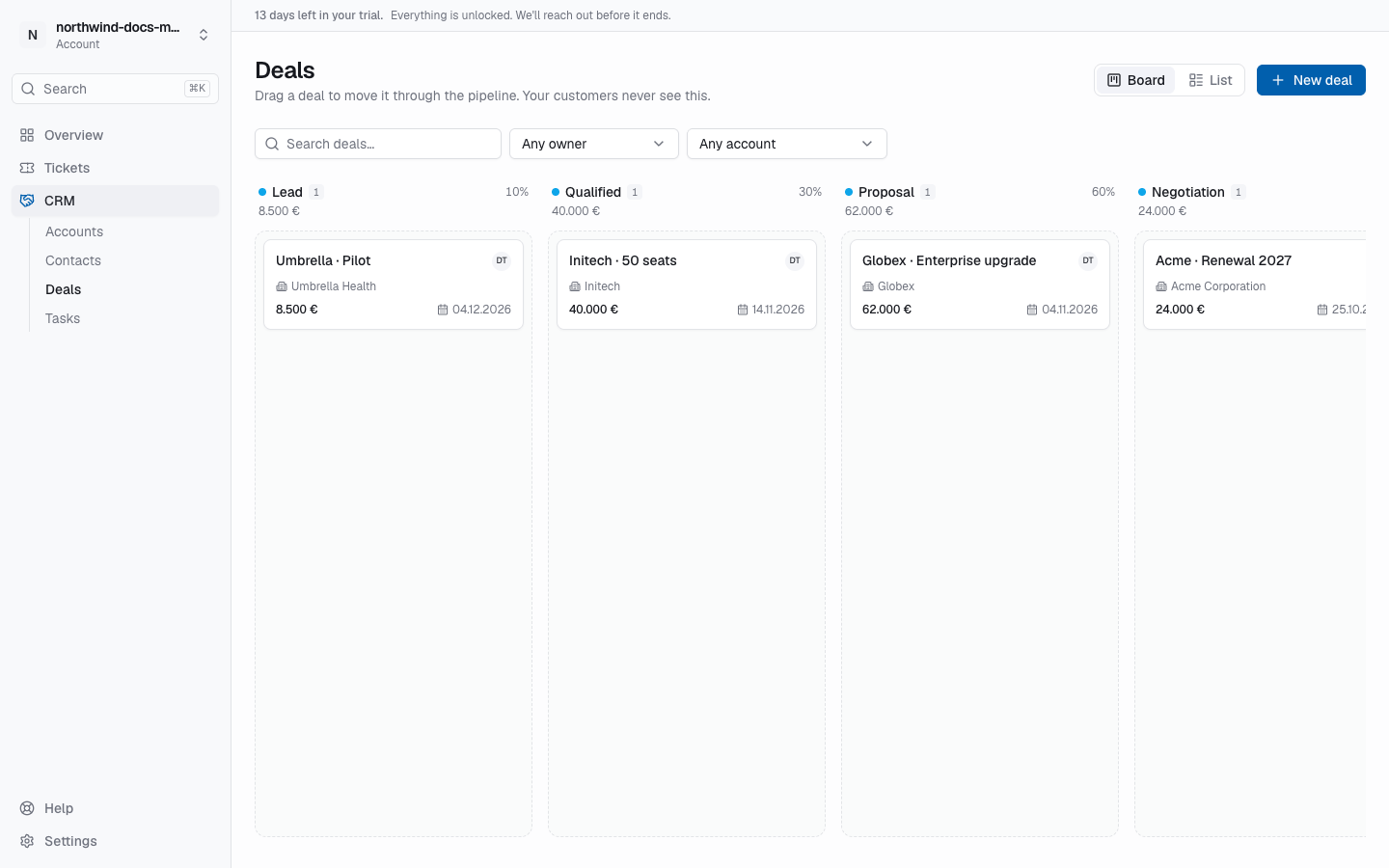
The deals board
Open CRM → Deals. Each column is a stage of the pipeline, with the number of deals, the chance to win (for open stages) and the sum of the deals in your default currency. Amounts in other currencies are never added up; the column shows + other currencies instead.
- Drag a deal to another column to move it to that stage, or within a column to reorder.
- Won and Lost are stages of the pipeline like any other — drop a deal there to close it. Dropping on a lost stage asks Why was it lost?; a short reason is required.
- Pipeline picker — appears when you have more than one active pipeline.
- Board / List — switch between the board and a table (deal, account, stage, amount, owner, expected close, status). The list shows the newest 100 deals; narrow the filters to find older ones.
- Filters — search text, owner, account and your own deal fields.
Each card shows the title, account, amount, owner and expected close date. No activity for … days warns when a deal has been sitting in the same stage longer than the stage allows (set per stage in the pipeline settings).
Create a deal
Click New deal (on the deals page, on an account's Deals tab, or via Cmd/Ctrl+K). Title is required; set Pipeline, Stage, Amount, Currency, Expected close, Owner and Account as needed. New deals use the workspace's default currency unless you pick another one.
The deal page
- The title with its status (Open, Won or Lost), amount, expected close date, account and owner.
- A row of the pipeline's stages — click one to move the deal there.
- Won and Lost buttons on open deals (Lost asks for a reason). A closed deal shows Won on … or Lost on … with the reason, and Reopen moves it back to the last open stage.
- The deal's timeline with notes, calls, meetings and tasks — see Activities.
- Stage history — every stage change with who made it and when.
- Your own deal fields.
Delete deal removes the deal and its stage history for good; the account stays as it is.
Pipelines
Every workspace starts with a Sales pipeline: Lead, Qualified, Proposal, Negotiation, Won and Lost. Owners and admins can add more pipelines (for example for renewals or partners), rename and reorder stages, set each stage's chance to win and when a deal counts as stuck — see CRM settings.
Deals and support
On a ticket of a linked customer, an open deal in a late stage (a chance of 70 % or more, or the last open stage) shows up as Deal in progress: handle with care, so support knows when a ticket is business-critical. See CRM overview.