Settings overview
Map of workspace settings for admins.
Open Settings at the bottom of the sidebar. A secondary rail groups pages:
| Group | Pages |
|---|---|
| Workspace | General, Members, Domains |
| Tickets | Boards, Labels, Ticket types, Ticket templates, Workflow, Languages |
| CRM | CRM |
| Events | Events |
| Integrations | API keys, Guest portals, App Store, Notifications |
| Newsletter | Newsletter |
Labels, ticket types, ticket templates and the workflow are per board: with two or more boards, those pages show a board picker at the top.
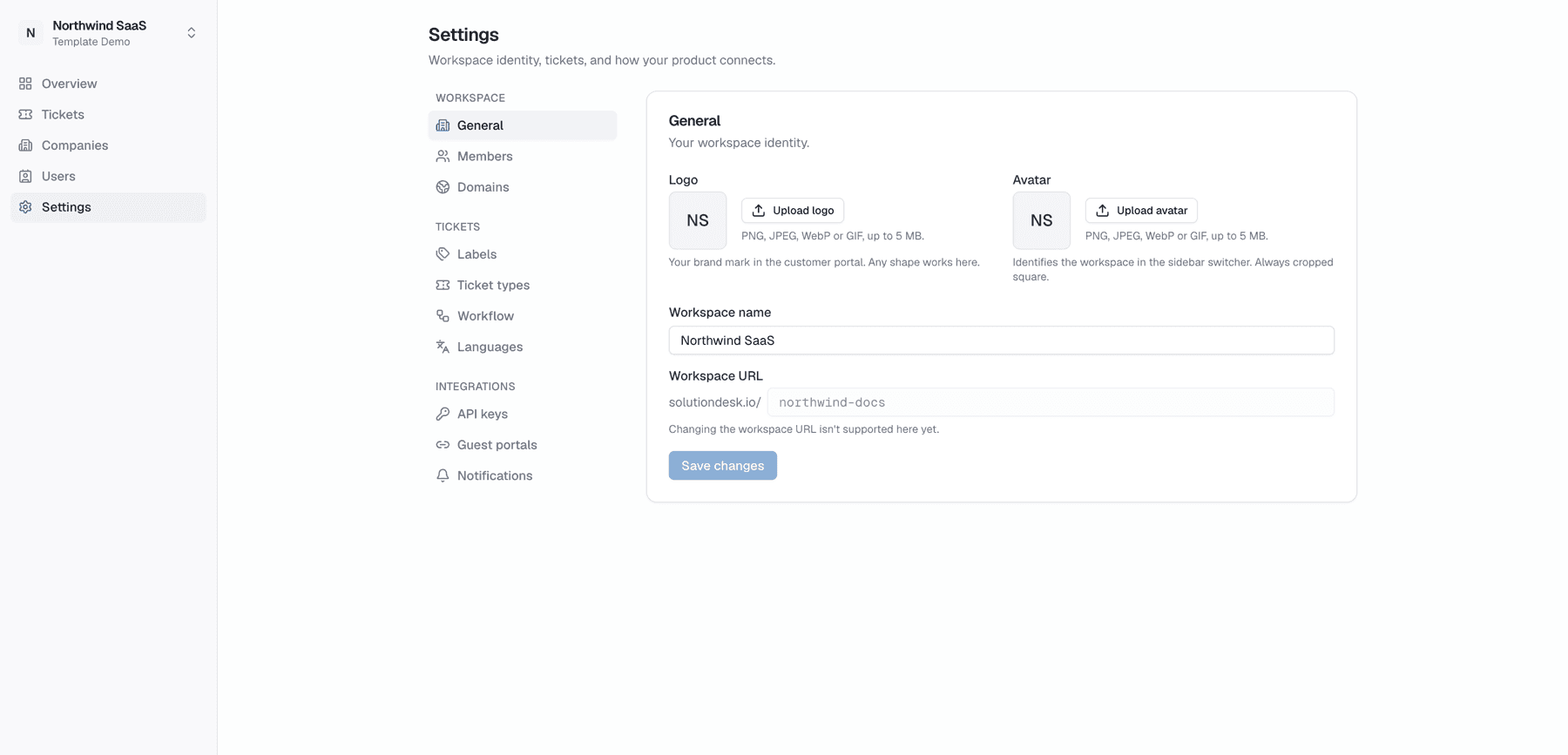
General
- Workspace name and identity
- Avatar for the sidebar switcher
- Second factor — Require a passkey or authenticator for every member (what members see). Turn it on only after you've set one up yourself.
Only owners and admins can change these. Who may change which settings: Members & roles.
When to open which page
| Goal | Page |
|---|---|
| Invite a colleague | Members |
| Add another ticket board | Boards |
| Add a “billing” tag | Labels |
| Customize bug vs feature fields | Ticket types |
| Change status columns | Workflow |
| Portal language / translations | Languages |
| White-label hostnames | Domains |
| Host SaaS integration | API keys & more |
| Connect Sentry, add sample tickets | App Store |
| Switch on the CRM, pipelines, CRM fields, import | CRM settings |
| Switch on events, allowed websites, how long registrations are kept | Event settings |
| Switch on the newsletter, sender details, sending account and pace | Newsletter settings |
| Choose which boards email you | Notifications → Notify me for boards (Boards) |
| Choose which ticket and CRM events email you | Notifications → Email notifications (details) |