Create a ticket
File work for a company, set type, priority, visibility, and fields.
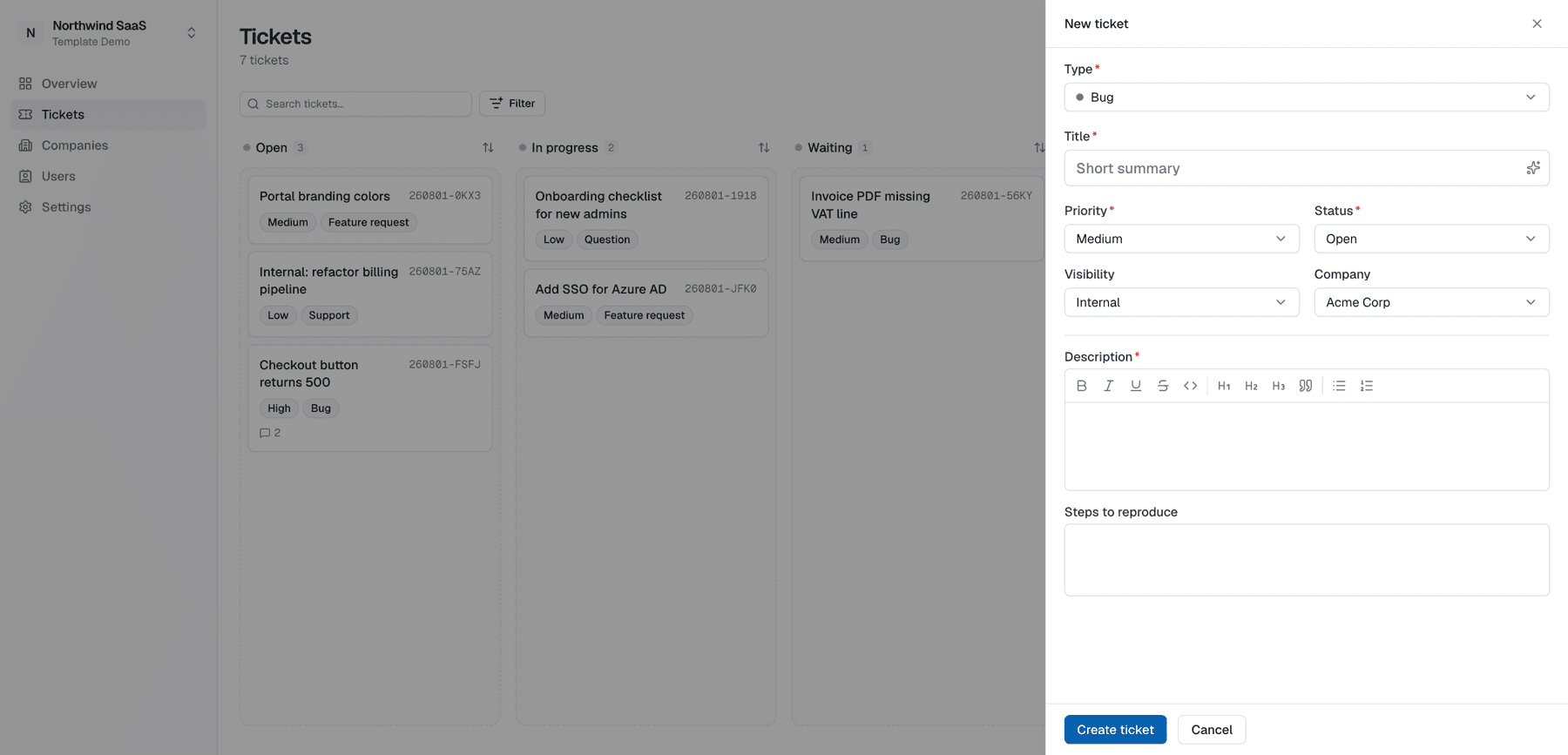
From a board, open New ticket (or press Cmd/Ctrl+K and choose New ticket, which opens it on the customer board). The ticket is filed on the board you're on, with that board's types, forms, priorities and statuses — see Boards.
Steps
- Title — short, customer-safe summary when the ticket may become
public. - Type — e.g. bug, feature, question (configured per workspace).
- Priority and initial status (defaults come from workspace config).
- Company — which end-customer this concerns (e.g. Acme). Often pre-selects the first company.
- Visibility —
internal(default when unsure),public, orrestricted. On a board other than the customer board, a hint reminds you that the board isn't visible to customers — its tickets stay internal whatever you pick. - Custom fields — the fields of the type's template (often a rich-text description). While nothing is filled in, picking another type switches to its form. Once you've filled in a field, changing the type keeps the form and your entries; a notice lets you switch forms anyway (discarding the entries).
- Assignees / labels — optional at create time; editable later.
- Submit.
Visibility checklist
| Intent | Visibility |
|---|---|
| Team-only planning / triage | internal |
| Share progress with the whole company on the ticket | public |
| Share only with matching end-user attributes | restricted + access rules |
After create
You land on ticket detail. Attach files, leave an internal note for the team, or write the first customer-visible reply if the portal should already show conversation.
Break a ticket into tasks
Open a ticket and choose Add task in its Tasks section, below the description. Tasks always live on their main ticket's board. A task is a normal ticket with its own number, required fields, assignees, comments and integrations. The menu next to the Tasks heading also offers Link existing ticket for an unattached ticket of the same company. A ticket has at most one parent, and tasks cannot have another nesting level. Unlinking (from a task's own menu) retains the ticket and its contents.
The task list provides status controls and a completion meter with one segment per task. On a task, the bar above the ticket links back to the parent, shows the parent's progress and steps to the previous or next task. The customer portal shows the tasks that customer can access; a relationship never shares an internal ticket. Portal-created tasks keep the existing restricted visibility behavior.
Board and list views group tasks under their parent by default. Show subtasks expands them into ordinary cards or rows; search and assignee filters still find them. Archived tickets keep their existing visibility rules.
Workspace workflow settings offer Allow, Warn, or Block for closing a parent with unfinished tasks, plus a default for customer team boards. Existing workspaces default to Allow. Customer administrators can override their team board rule. Status completion uses each workflow's configured terminal statuses; there are no automatic parent/child status changes. Archives are independent of completion, so an archived open task can still prevent closing a parent under a blocking rule.