Two-tier support
Your company triages first, then escalates to the provider (Northwind).
Some vendors enable two-tier support for your company. Then the portal has two boards:
| Tab | Meaning |
|---|---|
| Your team | Requests your company is handling before the vendor sees them |
| With <provider> | Requests already with the vendor (or created directly as provider-owned) |
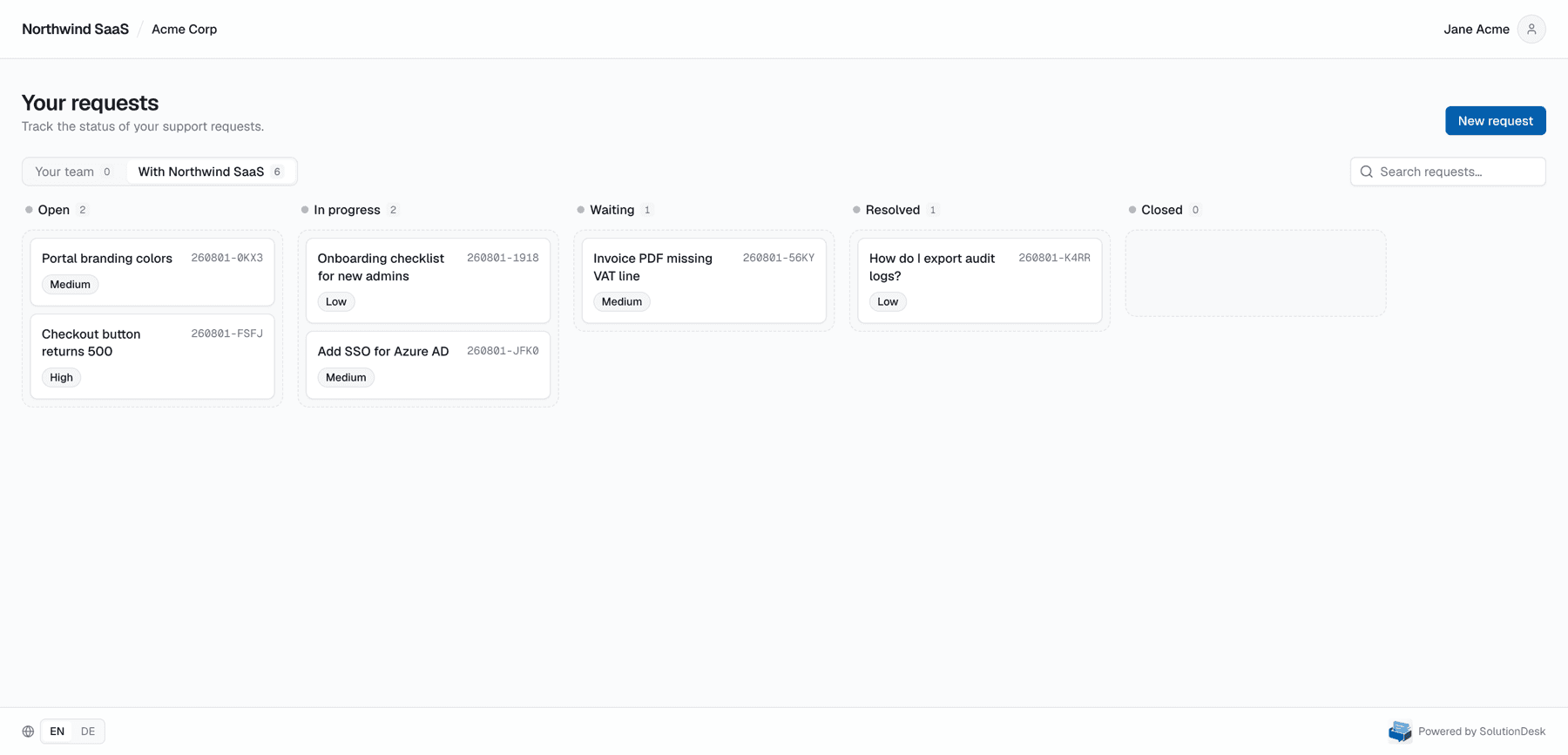
Single-tier (default)
If two-tier is off for your company, you only see one board — everything the vendor shared with you. You cannot drag statuses; the vendor owns workflow.
Two-tier flow
- Someone at Acme creates a request → it often starts on Your team (company triage).
- Company agents move it on the company status columns (open → in progress → resolved).
- When the vendor must take over, someone with permission escalates the same ticket (same id/reference, same thread).
- After escalation the card lives under With <provider>; only the vendor moves provider status.
Escalation is a hand-off of the same ticket, not a copy. Attachments and comments stay.
Reverse visibility (why the vendor may not see everything)
Until escalation, provider staff do not see team-tier requests on their dashboard. That protects internal customer triage. After escalation, the vendor sees the full customer-visible thread (still never staff-only internal notes from the vendor side that were never written).
Who may escalate / move status
Depends on portal roles for your company (see Portal roles):
- Agents (or higher) typically triage and escalate
- Users file requests and reply
Exact permissions come from the vendor’s configuration and your role on the company.
Related
- Your request board
- Request detail
- Staff: companies (enable two-tier per company)