Your request board
Kanban of Acme-visible requests — view only for status moves.
The portal home shows Deine Anfragen / Your requests (locale depends on negotiation) — a board of tickets you are allowed to see.
What appears
- Requests tied to your company with visibility
public, orrestrictedrules that match you - Never the vendor’s internal-only tickets
- Status columns match the active workflow (vendor statuses, or company statuses on the Your team tab)
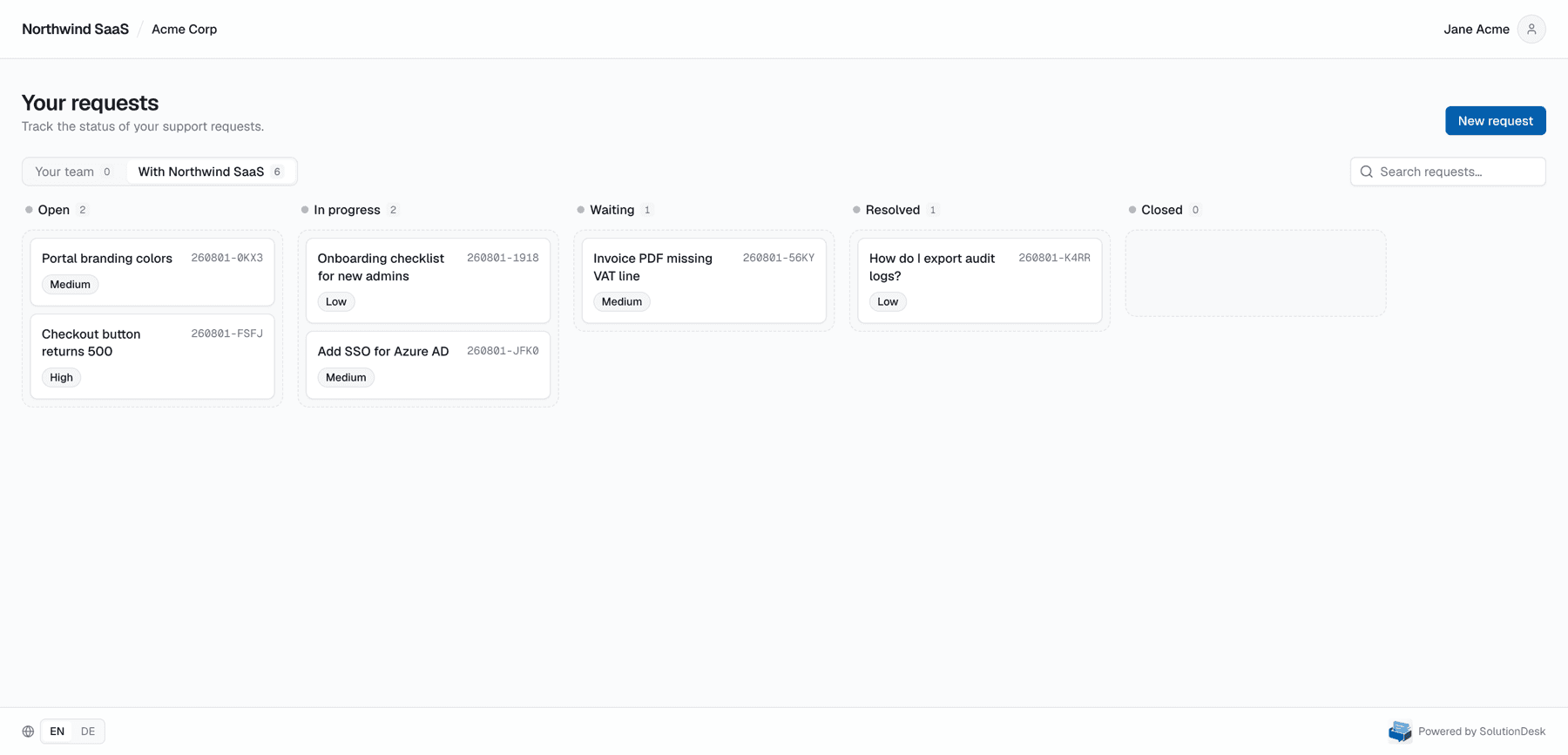
One board or two?
If the vendor enabled two-tier support for your company, you get tabs:
- Your team — internal triage (you may drag statuses if you are a company agent)
- With <provider> — vendor-owned work (status is read-only for you)
Details: Two-tier support. Single-tier companies only see the provider board.
What you can do on the board
| Action | Provider board | Your team board (two-tier) |
|---|---|---|
| Scan status by column | Yes | Yes |
| Click a card to open details | Yes | Yes |
| Drag a card to change status | No (vendor owns status) | Yes, if your role allows |
| Create a new request | Yes | Yes |
Empty board
If nothing is listed, either your company has no shared tickets yet, visibility is still internal on the vendor side, or you are on the Your team tab while work already lives under With <provider>.
Keep related tasks together
Tasks normally appear under their parent request, whose card displays their progress. Enable Show subtasks to see them as separate cards with a parent reference. The choice is kept in the URL and survives a reload.
Search includes tasks. A matching task remains visible when its parent is filtered out or lives on the other team/provider tab. Opening it takes you to the actual ticket and its own conversation.
Archived requests
Requests the vendor archived are hidden by default. Turn on Show archived to add an Archived column at the end of the board; it follows the same tab, search and label filters. Archived cards cannot be dragged, and opening one shows the request read-only. The choice is kept in the URL and survives a reload.