Create a request
File a new support request with fields and attachments.
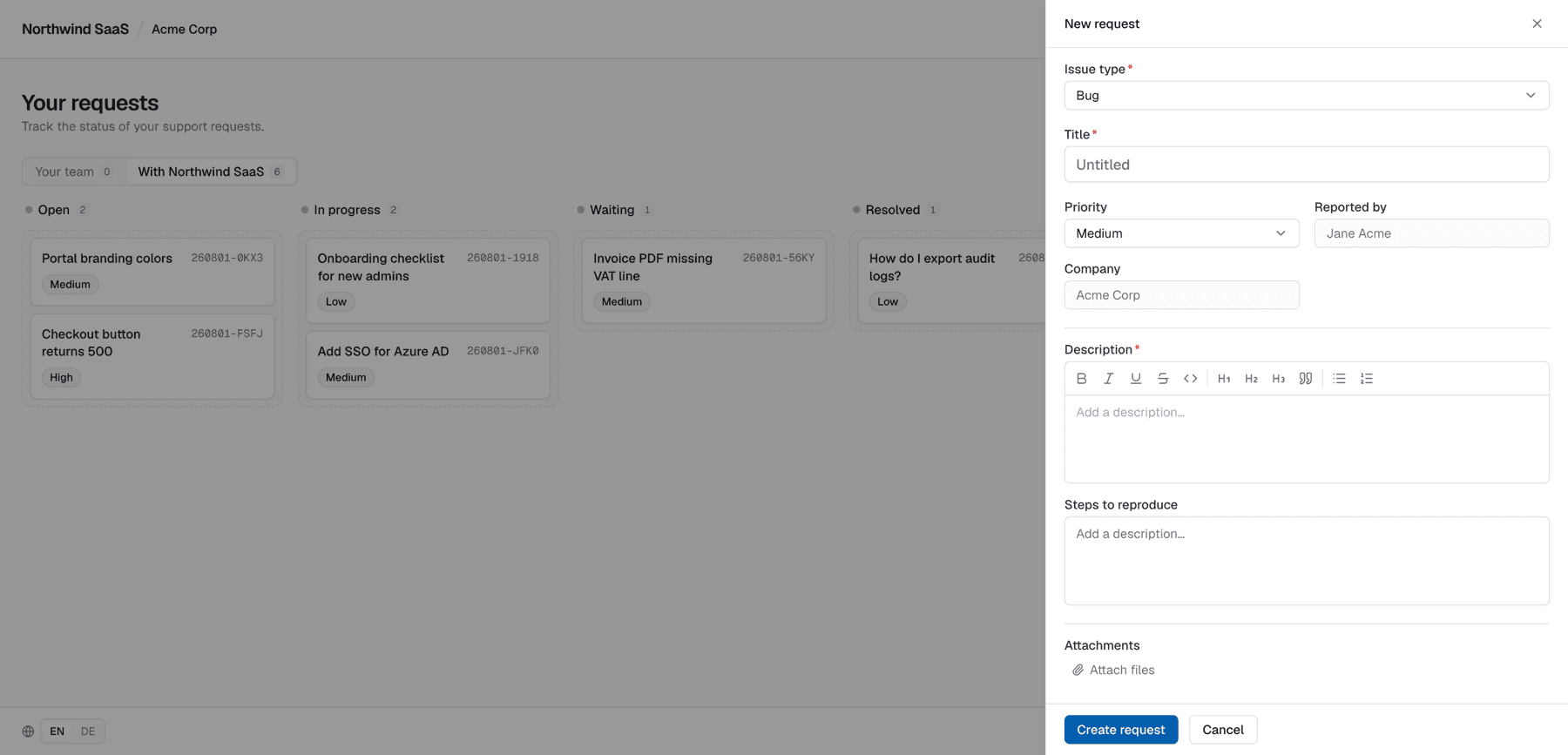
Click Neue Anfrage / New request on the portal home.
Form fields
| Field | Notes |
|---|---|
| Title | Short summary of the problem or ask |
| Type / priority | Options defined by the vendor |
| Description (and other custom fields) | As required by the selected type. Once you've filled something in, changing the type keeps the form and your entries |
| Reported by | You (read-only) |
| Company | Your company (read-only) — e.g. Acme |
| Attachments | Optional files |
You cannot reassign the company or pretend to be another end-user — that context comes from the MagicLink session.
After submit
The request appears on your board (and on the vendor’s team board). You can open it immediately to add more detail or wait for a reply.
Tips for good requests
- One issue per request when possible
- Include environment, steps to reproduce, and screenshots as attachments
- Avoid putting secrets in the title (titles show on cards)